Client
PwC · Enterprise

Designing how people explore, understand and act on complex document-based information, with AI they can actually trust.
Enterprise teams work through huge volumes of complex documents, contracts, energy and grid forms, filings, where the important data is buried in inconsistent layouts. Document Insights is an AI product that reads these documents and extracts the relevant data points automatically.
But automation alone isn’t the point. The value of an extraction product depends entirely on whether people can trust the results, verify them quickly, and stay in control of what the AI decides. That trust problem was the real design challenge.
Extraction models are confident, fast and occasionally wrong, and in an enterprise context, a wrong value can be expensive. The interface had to make the AI’s certainty legible, let users correct and confirm values without friction, and never hide what the model was doing. The goal was to turn a black box into a reviewable workflow.
I worked on the experience of an AI document-intelligence product, focused on how people review, verify and trust AI-extracted information.
The core of the experience is a side-by-side view: the source document on the left, the AI’s extracted data points and confidence on the right.
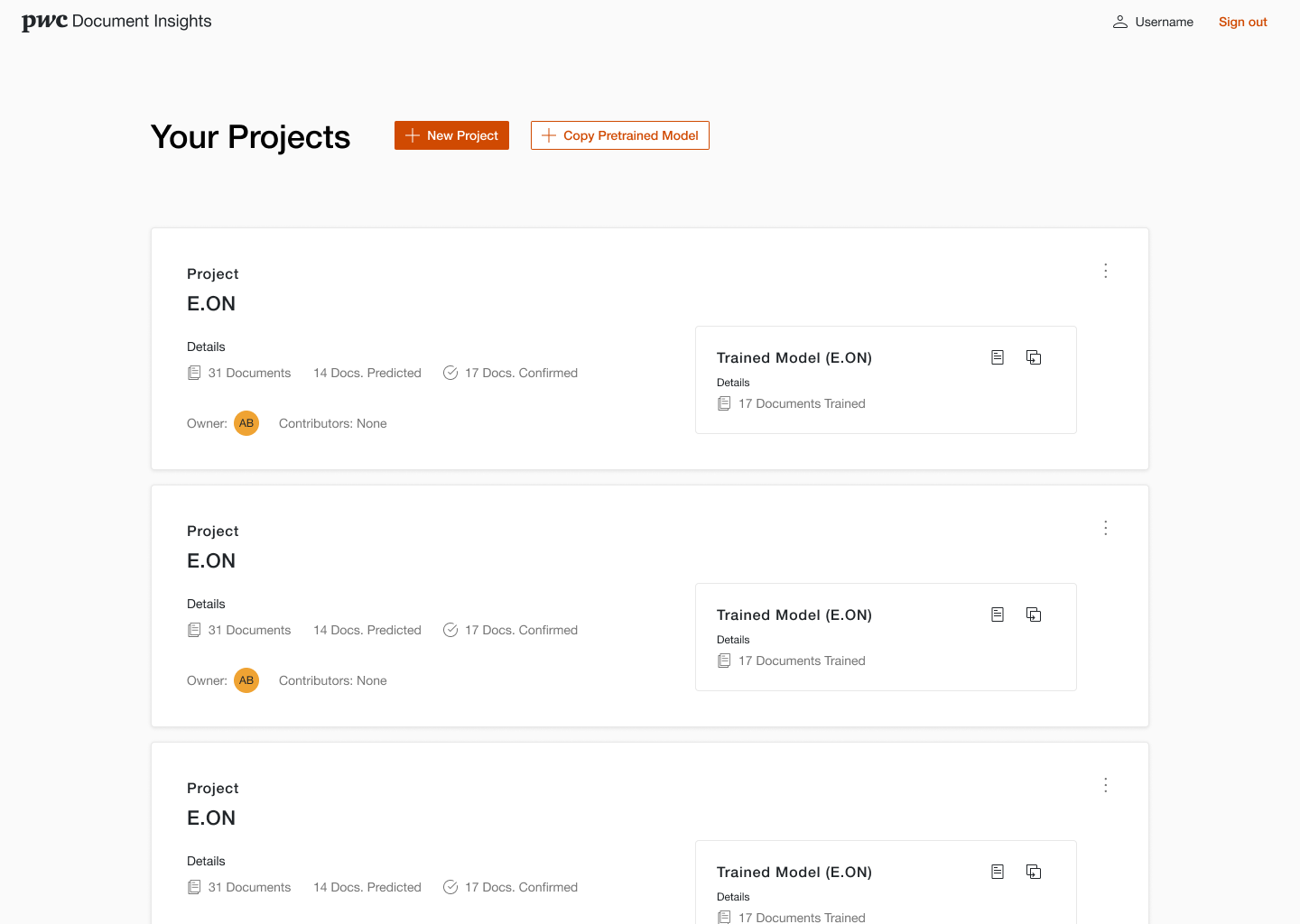
Projects. Each project tracks documents, predictions, confirmations and its trained model.
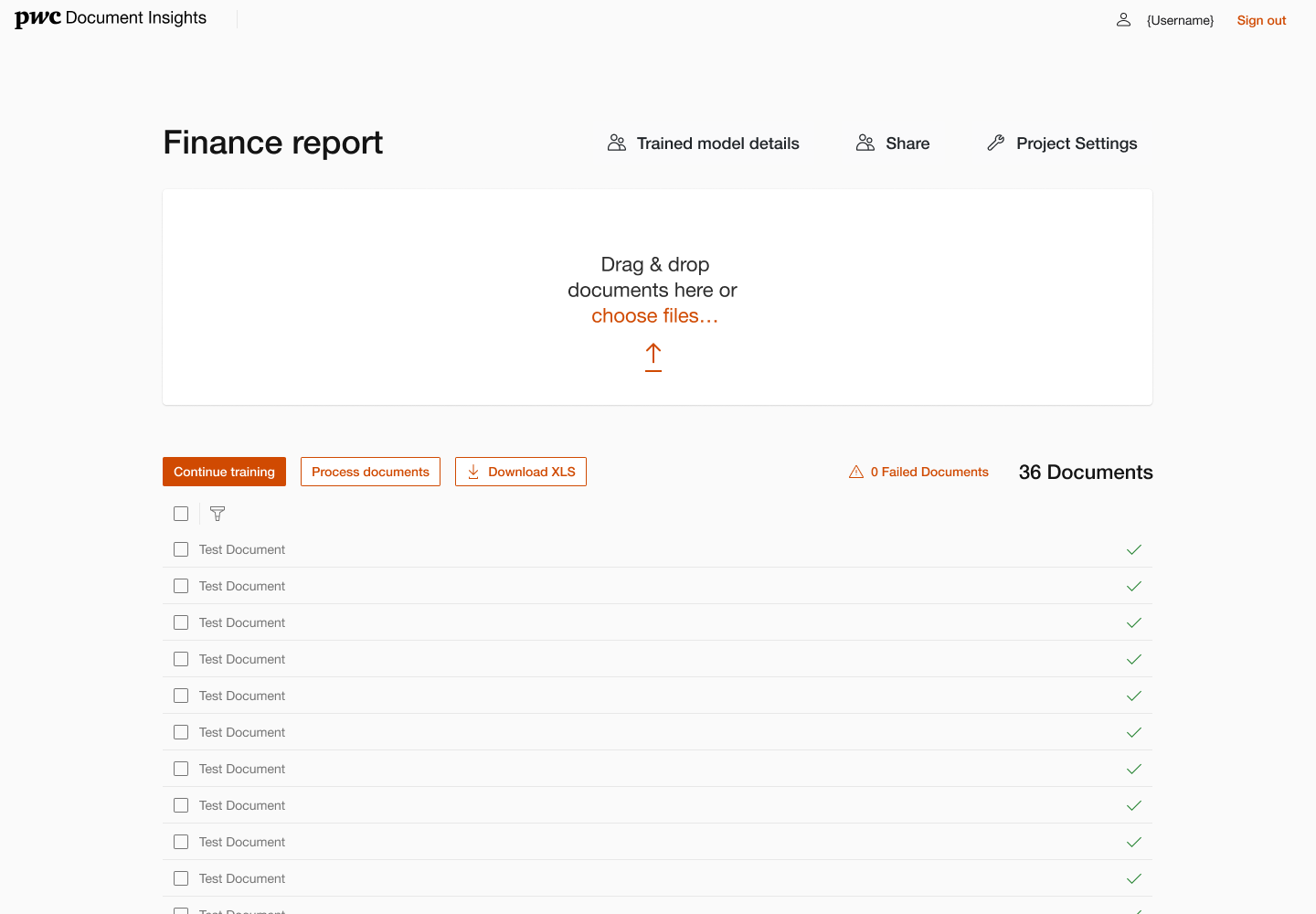
Train & process. Upload documents, continue training the model, then process or export.
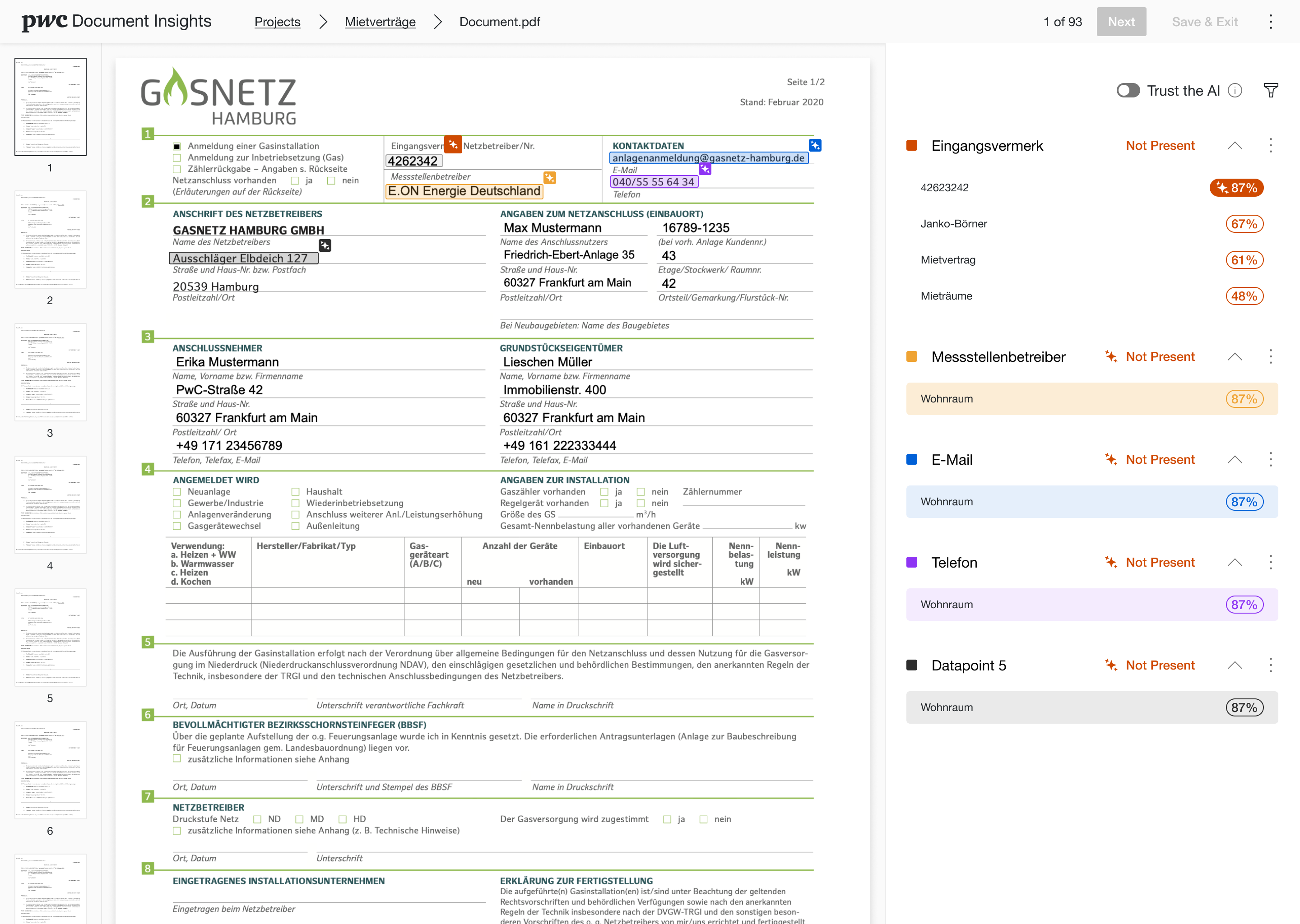
Document review. Highlighted source fields map directly to extracted data points, every value is traceable back to the page.
Confidence, ranked. Candidate values are ordered by confidence, the user chooses, instead of retyping.
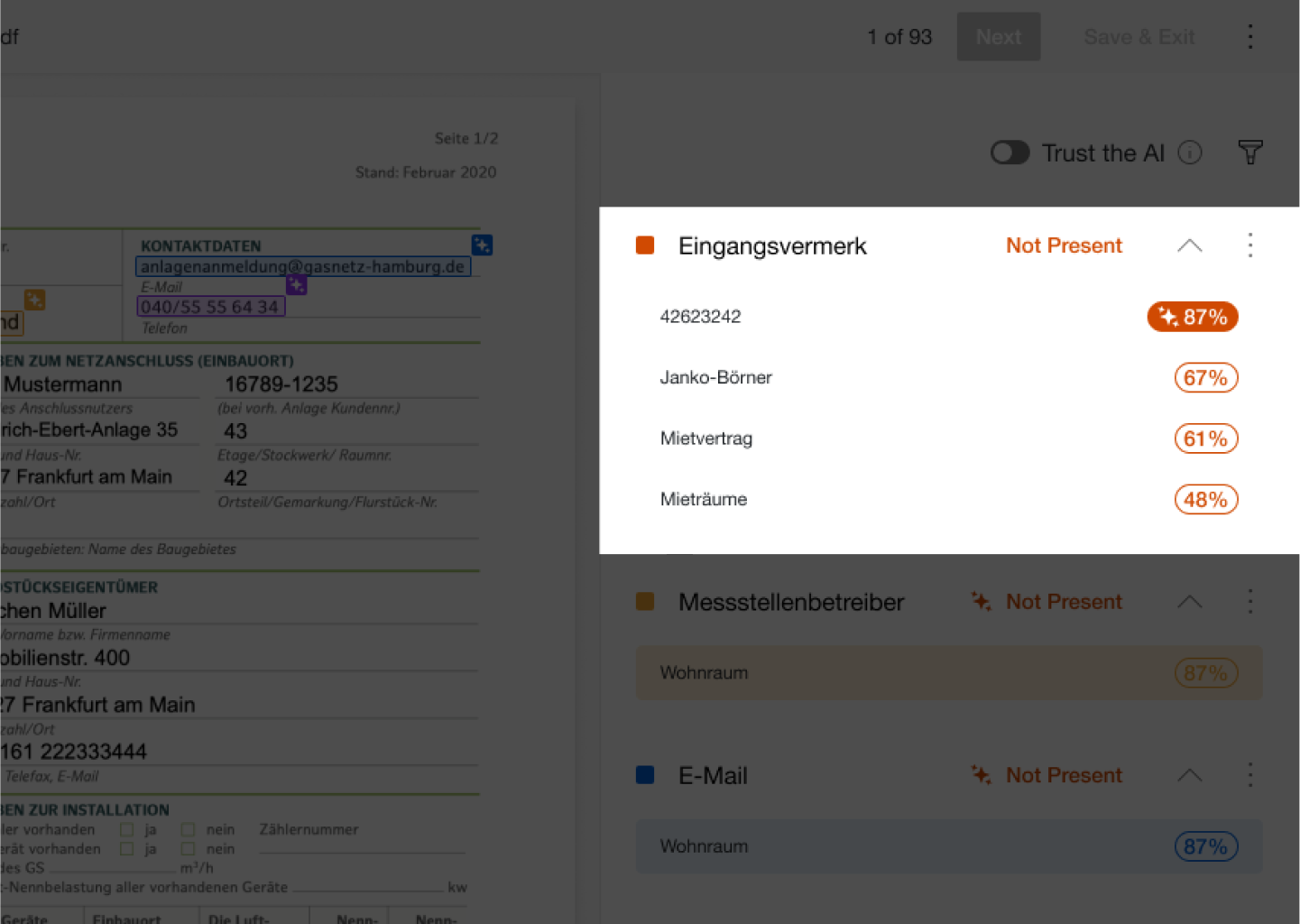
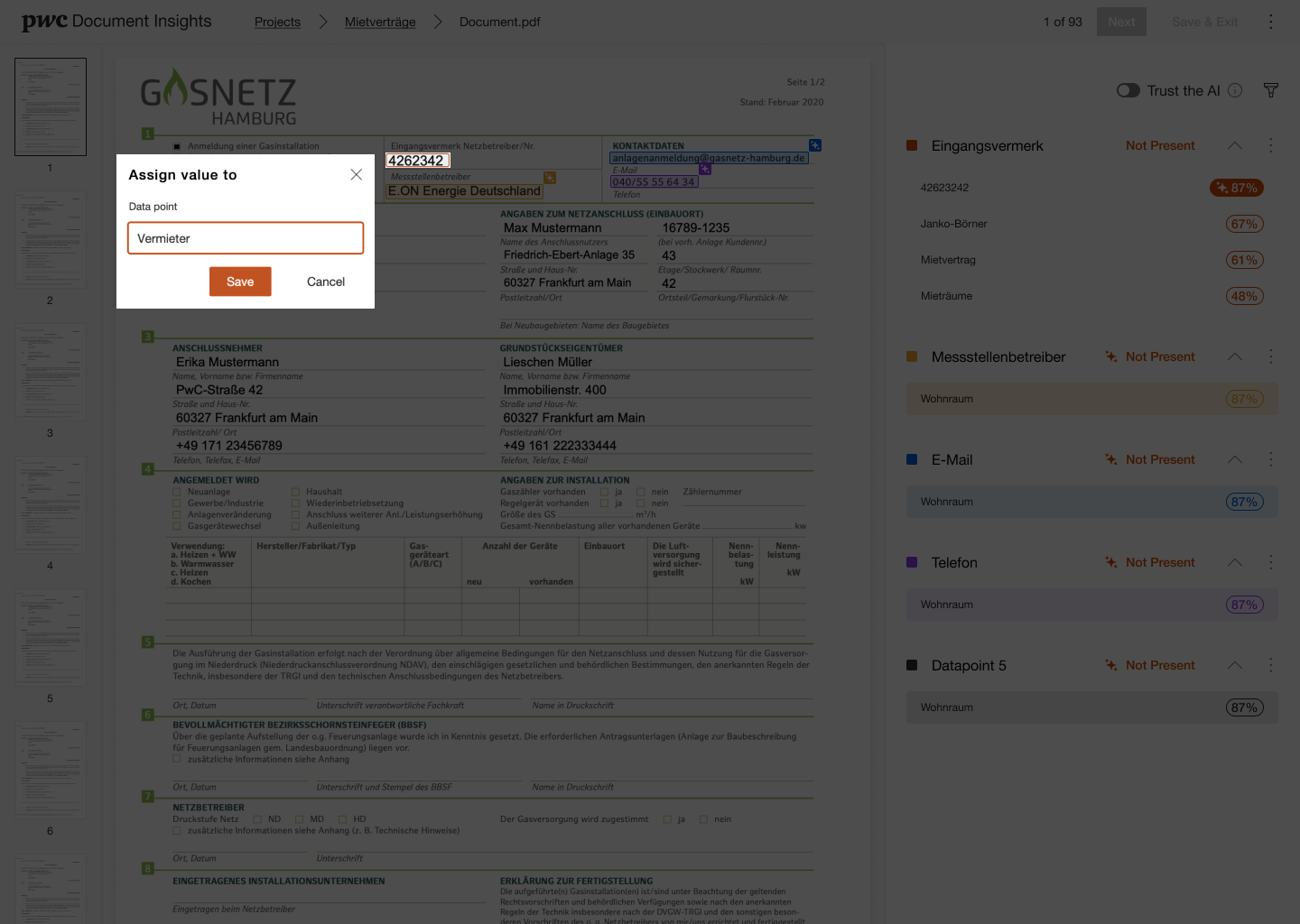
Assign & correct. Click a value on the document to assign it to a data point, verification in one gesture.
A visible percentage on each data point so users instantly know what to double-check and what to skim.
Every extracted value links back to its highlighted location on the document, nothing is unexplained.
Ranked candidates and click-to-assign turn correction into a choice, not data re-entry.
Once a model proves itself, a toggle lets it run with less manual review, trust earned, then scaled.
AI is only useful when people can trust what it tells them.
The work shaped how users move from raw documents to confirmed, structured data, making the AI’s confidence legible, keeping every value traceable, and letting teams scale automation only as far as their trust in the model allows.
Better model accuracy doesn’t automatically create confidence. People trust AI when they can see how sure it is, check where a value came from, and correct it without fighting the interface. Legible confidence and easy verification did more for adoption than raw accuracy alone.
This project sharpened how I design AI-native products: surface uncertainty honestly, keep humans in control, and design the review experience as carefully as the automation itself.
Let’s turn your product challenge into something testable.